How to pay a Slovenian bill with Revolut: the UPN to SEPA app
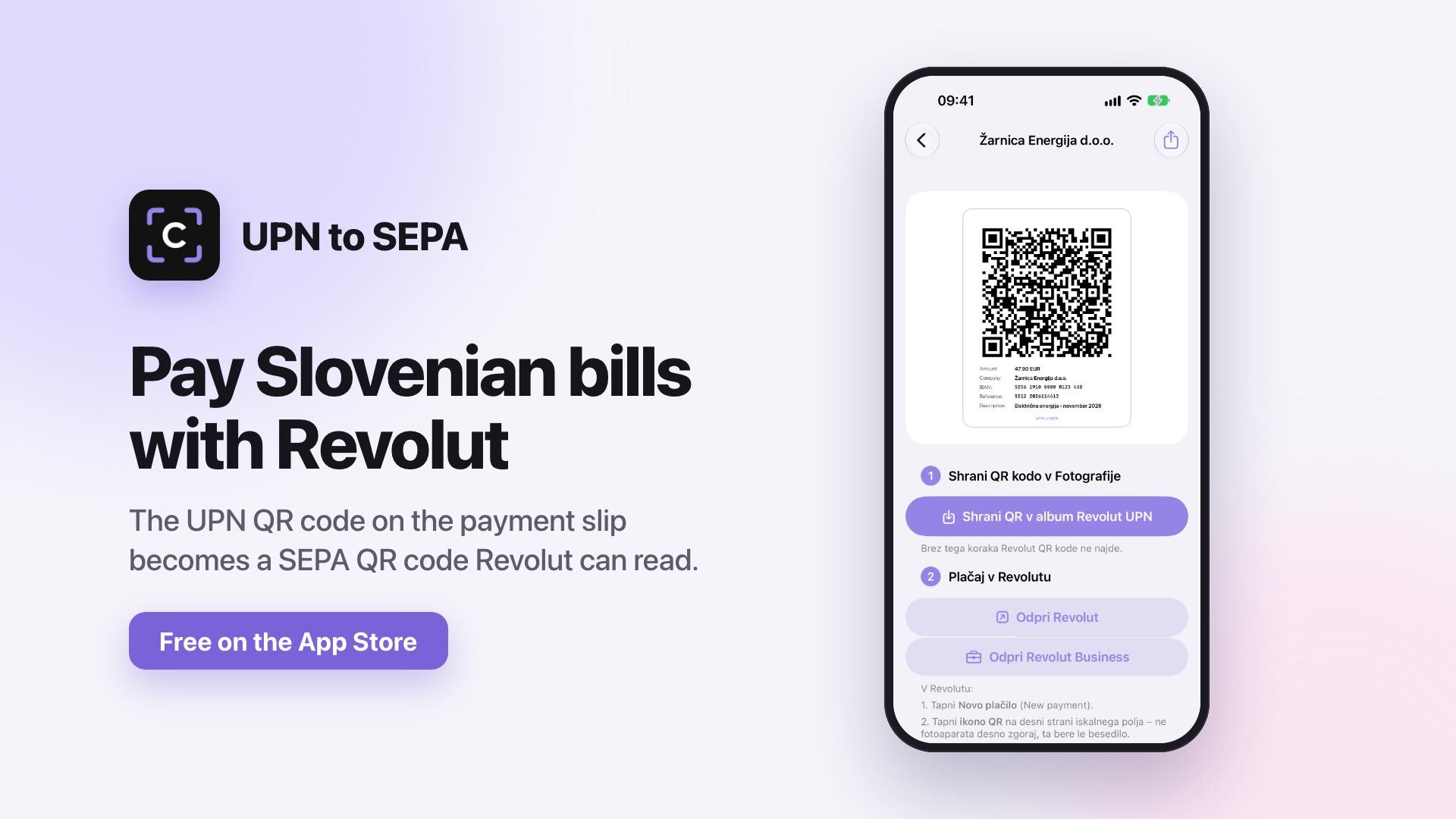
Revolut can't read the UPN QR code printed on Slovenian payment slips (položnice). So at CNJ Digital we built UPN to SEPA, a free iPhone app that turns the UPN QR code into a SEPA QR code. Revolut reads that and fills in the recipient, IBAN, amount and reference for you.
Get the app on the App Store. It runs on iPhone with iOS 17 or later, needs no account and collects no data.
UPN to SEPA in 20 seconds: from payment slip to payment in Revolut. Click the video to play it.
In short
The problem: Slovenian payment slips carry a UPN QR code, while Revolut reads SEPA (EPC) QR codes.
The fix: UPN to SEPA reads the slip and creates a SEPA QR code that you save to Photos.
Paying: in Revolut you start a new payment, pick the saved picture and confirm.
Price and privacy: free, with no account, ads or analytics. Everything is processed on your phone.
→ Download UPN to SEPA for free on the App Store
Why Revolut can't read the UPN QR code
The UPN QR code is a Slovenian standard set by the Bank Association of Slovenia. Slovenian banks read it in their apps without trouble. Revolut reads a different format: the SEPA QR code defined by the European Payments Council (EPC). Both codes hold the same details, only written differently, so Revolut doesn't recognise the UPN QR code.
Without a conversion you are left typing: a 19-character IBAN, the reference, the amount and the purpose. For every bill, with a new chance of a typo each time. If you have moved to Slovenia and bank with Revolut, you know the feeling.
How to pay a bill with Revolut in three steps
Scan the payment slip. Scan the UPN QR code with the camera, or import it from a photo, a screenshot or a PDF.
Check the details and save the QR code. The app shows the recipient, IBAN, amount, reference and purpose. One tap saves the SEPA QR code to the Revolut UPN album in Photos.
Pay in Revolut. Start a new payment, tap the QR icon on the right of the search field and pick the picture from the Revolut UPN album. Revolut fills in the payment and you just confirm it.
One trap to avoid: the camera at the top right of Revolut is not the right button. It uses AI to read the text in a picture and ignores the QR code, so it only fills in the recipient's name. The right button is the QR icon in the search field.
The app itself is in Slovenian, because UPN payment slips are only used in Slovenia, but the three steps above are all you need.
→ Pay your next bill in three steps: get UPN to SEPA
What else UPN to SEPA does
Bills from email: in Mail, tap the PDF, then Share and UPN to SEPA. No need to save and find the file.
Double payment warning: if you convert the same bill (IBAN, reference and amount) again, the app shows when you already did.
List of bills: every scanned bill is in one place, and you can reopen any QR code later.
IBAN and reference checks: the app warns about typos in SI12, SI99 and RF references.
Quick start: from a home or lock screen widget, Control Center or the Action button.
Bills without an amount: enter the amount in the app or later in your bank.
Revolut Business: besides the personal app, you can open the business one.
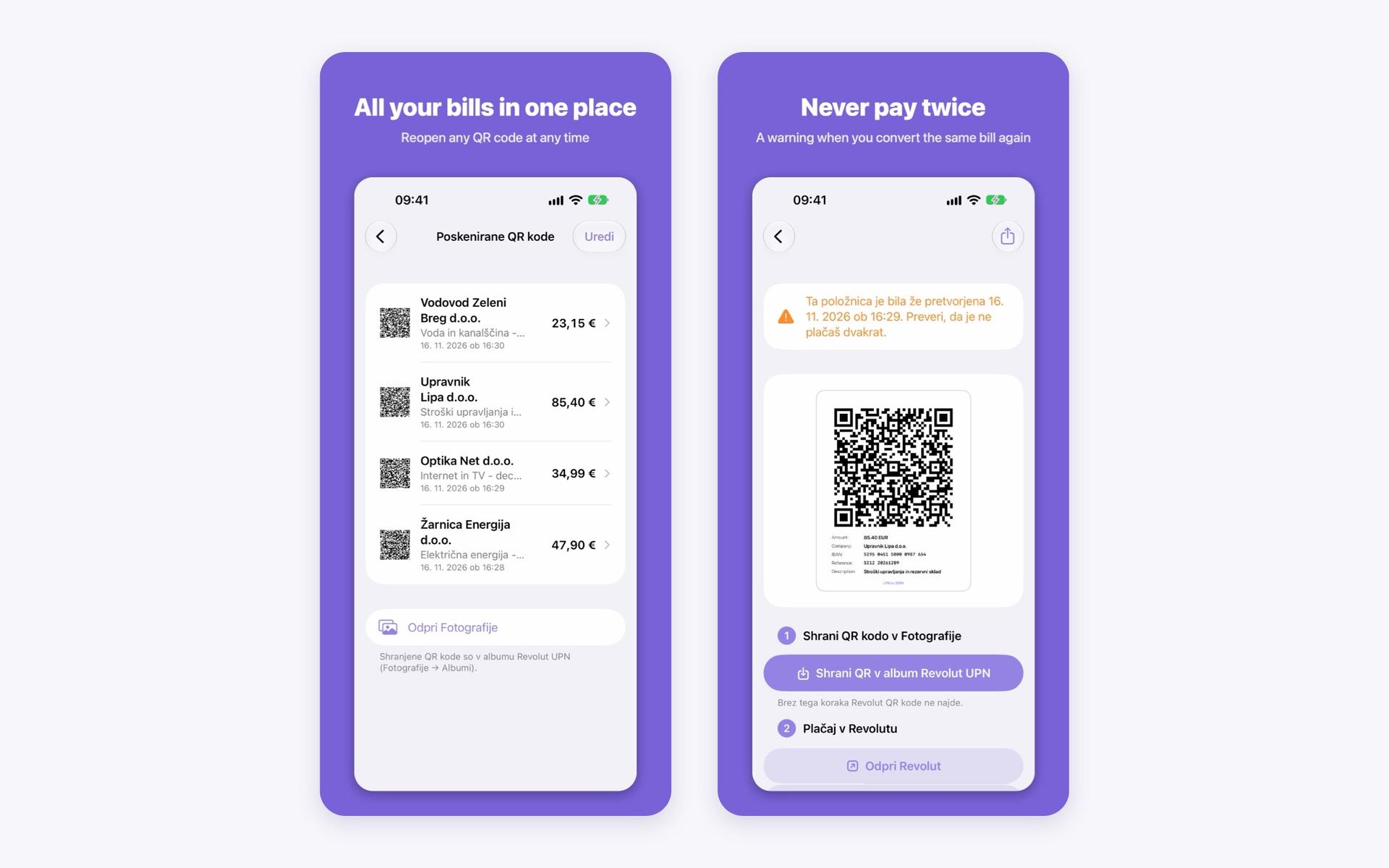
The list of scanned bills and the warning when you convert the same bill a second time.
→ UPN to SEPA is free: get it on the App Store
Privacy: your details stay on your phone
UPN to SEPA collects no data. There is no account, no ads, no analytics, and it doesn't need an internet connection to work. Bills are processed on your phone and stay inside the app.
The app doesn't make payments either. You always confirm the payment yourself in your banking app. UPN to SEPA is not affiliated with Revolut or any bank.
From idea to App Store in four days
We first built the app for ourselves, because we pay our own bills with Revolut too. The first version was on a phone on 14 November 2026, and it has been public on the App Store since 18 November.
In between, we handed it to people who are not developers. The biggest fixes came from their feedback:
People didn't know they had to save the QR code first and only then open Revolut. Now these are two numbered steps.
Revolut's camera at the top right only filled in the recipient's name. The instructions in the app now say which icon to tap.
The home screen didn't make it clear that camera, photo and PDF were three equal options. Now they are shown as a choice.
We used AI coding tools to build it, so going from idea to release took days rather than weeks. What the app does, how it looks and whether it works on real bills, we decided and checked ourselves. We take the same approach in the AI Pilot for clients, where we test in three weeks whether an idea holds up on real data.
UPN to SEPA is not our first app for everyday costs. Tarifnik shows when electricity is cheapest.
Frequently asked questions
Does UPN to SEPA work with other banks?
It works with any banking app that can read a SEPA (EPC) QR code from a picture. We tested it with Revolut ourselves; for other banks, check whether they support paying with a QR code from Photos.
Is the app available for Android?
No, for now it is only available for iPhone with iOS 17 or later.
How much does it cost?
Nothing. The app is free, with no ads and no in-app purchases.
Where does the Slovenian reference go?
The reference field in a SEPA QR code only accepts international RF references. So the app puts a Slovenian reference (such as SI12) at the start of the payment purpose. An RF reference goes into the reference field.
Does the app pay the bill for me?
No. UPN to SEPA only prepares the QR code. You always review and confirm the payment yourself in your banking app.
Get UPN to SEPA on the App Store. Have an everyday problem a small app could solve? Write to us.
We write about it. We also build it.
Let's talk about your project
A 30-minute call to understand what you're building and how cvan we help. No brief required.
Prefer email?
info@cnj.si